
Bald Filter
See your own face with a shaved head before you pick up the clippers. This bald filter keeps your beard and brows, and your first image is free.
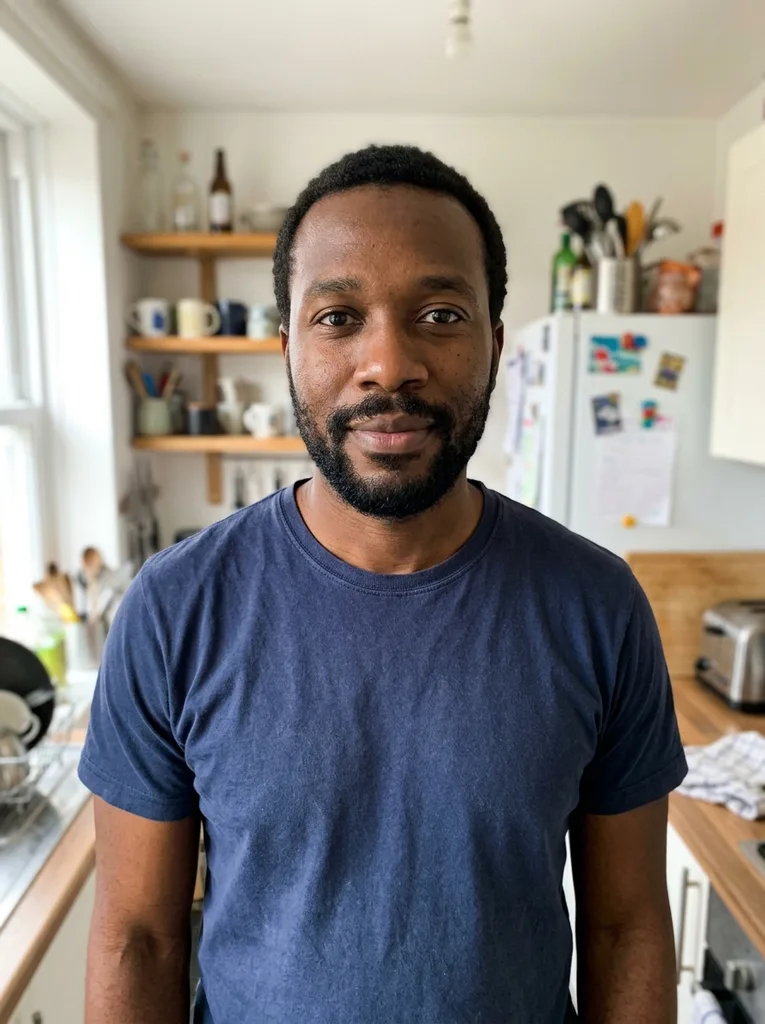 Before
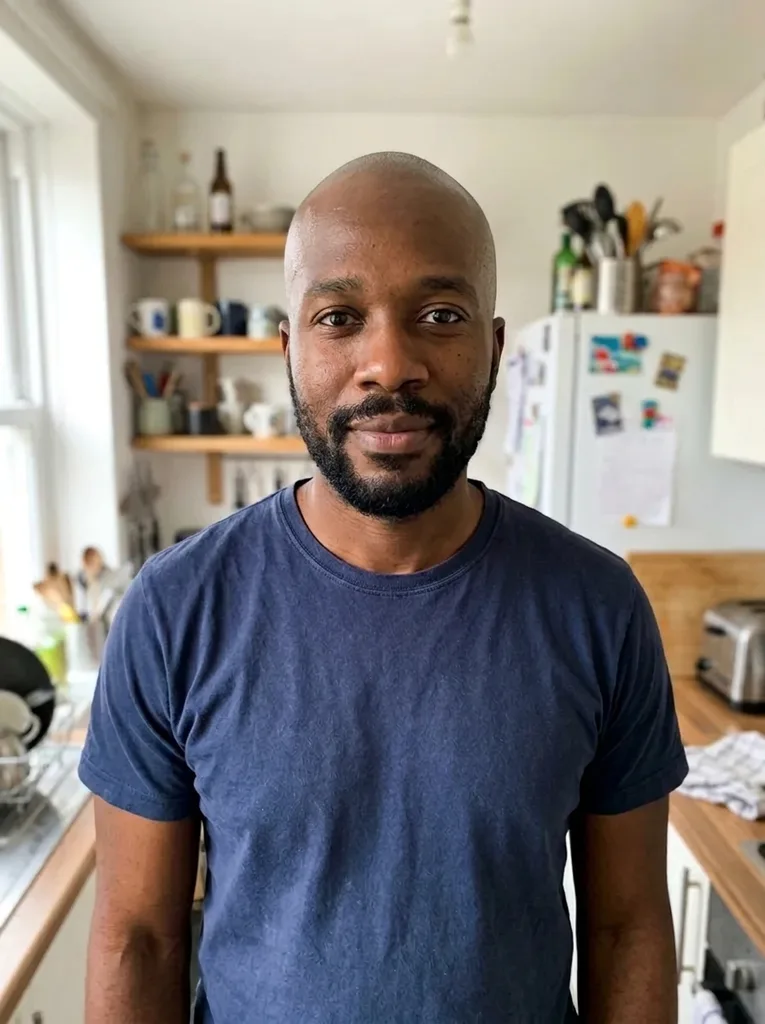 After
Example result. Upload your photo to make yours.
Examples
BeforeAfter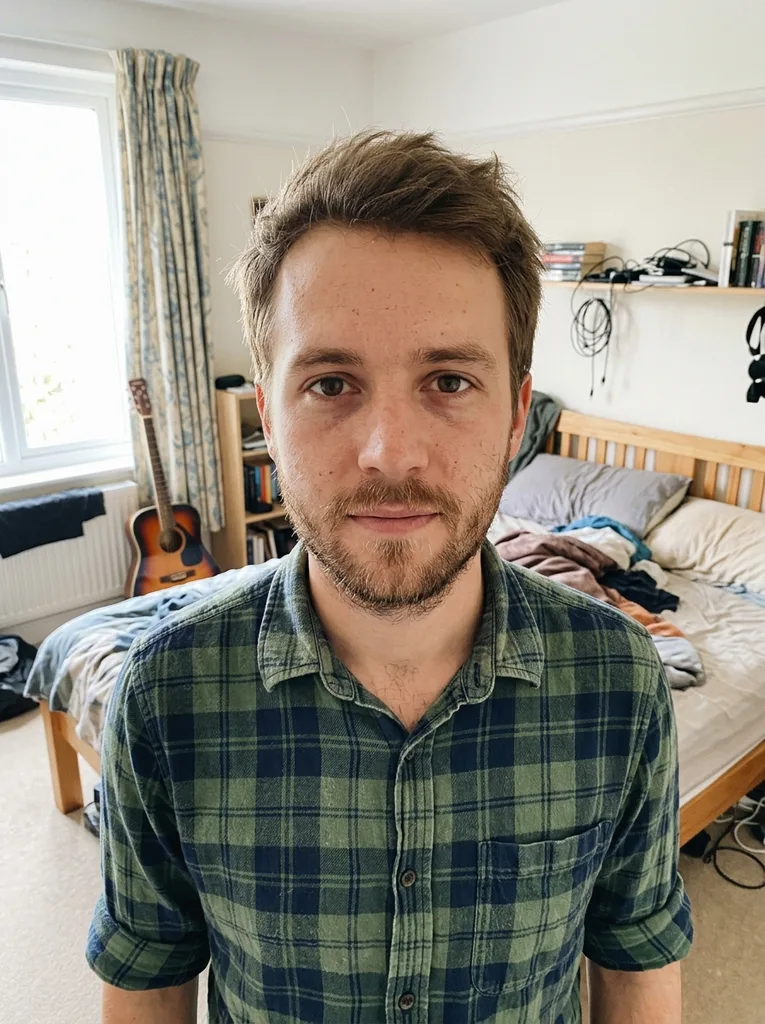 Before
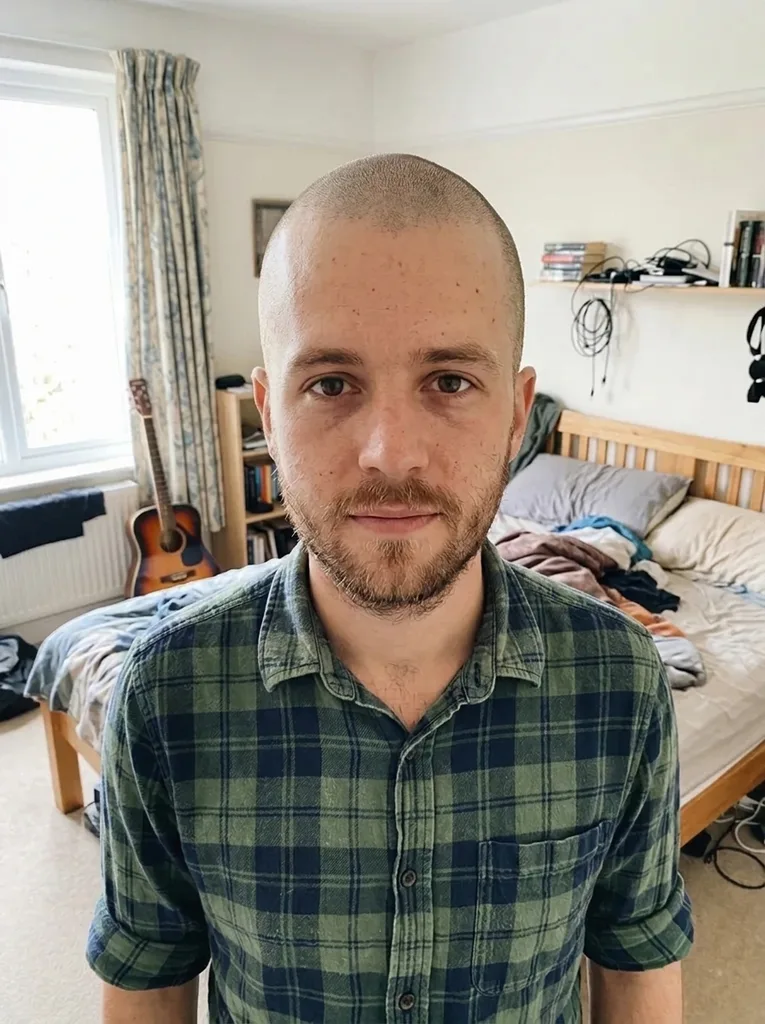 After
How to use the bald filter on your photo
Three steps, one selfie, no app to install.
- 1
Upload one clear selfie
JPEG, PNG, WebP or HEIC up to 10 MB, with one person and the whole head in the frame. HEIC photos from an iPhone are converted in your browser.
- 2
Choose the bald look you want to see
Smooth Bald is selected by default. Switch to Shaved Stubble or Natural Balding if that is the question you want answered, and add an optional note such as "slight shine".
- 3
Generate and save the result
It usually takes under a minute. Compare the before and after on the page, then download the image, because results are only kept for a limited time.
What this bald head filter does differently
Three ways to be bald, not one
Smooth Bald is a fresh shave with a slight shine. Shaved Stubble is a day or two of regrowth. Natural Balding keeps a short trimmed horseshoe around the sides and back.
Your beard and brows stay put
The model is told to keep eyebrows, eyelashes and any beard, moustache or stubble as they are, and in our tests the beard stayed. Only the hair on your head goes.
A scalp that matches your skin
The model is asked for a scalp that matches the skin tone of your face and neck, with the same lighting as the photo. The head shape it draws is an estimate from your photo, not a scan of your skull.
No beauty mode
The bald filter is told not to slim your face or smooth your skin. Glasses, clothes, pose and background stay as they were, so you judge the real you.
First image free, no account
Your first image is free with no sign-up, no credit card and nothing to download. It runs in the browser on a phone or a computer.
Bald filter online vs apps, lenses and photo editing
The main ways people preview a shaved head, side by side.
| This bald filter | Social app lenses | Paid bald photo editors | Editing by hand | |
|---|---|---|---|---|
| What you get | A still photo of you, bald | A live camera effect | A still photo | A still photo |
| Cost | First image free | Free inside the app | Paid, per image or in credit packs | Software plus your time |
| Account or app | Neither | App and account | Often an account | Desktop software |
| Bald looks | Smooth, stubble, natural balding | Whatever the lens offers | One bald option or a prompt box | Anything you can paint |
| Beard and brows | Kept as in the photo | Some lenses add or swap them | Varies | Up to you |
| Skill needed | None | None | None | Real retouching skill |
Why people ask what they would look like bald
Deciding to shave it all off
You keep thinking about the clippers. Run the bald filter first to see your head shape, ears and brow line, then decide with a picture instead of a guess.
Watching your hairline
If your hair is thinning, Natural Balding or a clean shave can make the future look feel less unknown. It is a picture, not a forecast.
A role, costume or cosplay
Check how a bald character will read on your face before you buy a bald cap or commit to a shave for a part.
A charity shave or a lost bet
Agreed to shave your head for a fundraiser or a dare? Show everyone the after shot before the day comes.
Talking it over with a barber
Bring the result to your barber or show your partner, so the conversation starts from the same image.
A laugh in the group chat
Sometimes you just want to see yourself bald. Post the before and after and let your friends react.
What would I look like bald: reading your result
A shaved head puts your face in charge. Without hair to frame it, the eye goes to your brow, jawline, ears and the shape of the back and top of the head. Those are the things to study in the preview.
Look at the result next to your original, not on its own. If the head shape looks right and the beard balances the face, that is a good sign. Remember that the shape under your hair is the AI's estimate, so check the ears and the edge of the scalp first: that is where a guess is most likely.
The photo is taken from the front, so it cannot show the crown or the back of your head. Treat the result as a strong hint, not a promise of how a real shave will turn out.
What our bald filter tests showed
We ran the bald filter on our own sample selfies, and the two results in the examples section are those runs. Daniel, a man in his 30s with a full beard, went to Smooth Bald: the scalp looked natural and his beard came through unchanged. Lukas went to Shaved Stubble: his head got an even short layer of regrowth and his facial stubble stayed.
Across our tests on this site, faces stayed recognizably the same person and clothes and backgrounds did not change. Generation usually finished in under a minute.
One thing to know before you shave: the preview matches the new scalp to the skin of your face and neck, and your real scalp color may differ.
Photo checklist for the bald head filter
- Keep your whole head in the frame, with space above it; a crop at the forehead hides the skull shape.
- Face the camera in even light and avoid a bright window behind you.
- Take off hats, caps, headbands and hoods.
- Pull long hair back from your face if you can.
- Use a normal phone selfie with no beauty filter or edits.
- Make sure you are the only person in the photo.
Bald simulator mistakes to avoid
Mistake: Cropping the photo just above the eyebrows
Do this instead: Step back so the top of your head and some background show above it.
Mistake: Wearing a beanie or cap
Do this instead: Take it off; the tool can only guess at a head it cannot see.
Mistake: Uploading an angled or low-light selfie
Do this instead: Shoot straight on, facing a window or a soft lamp.
Mistake: Starting from a filtered or smoothed photo
Do this instead: Use an unedited original so the result shows your real skin and features.
Mistake: Picking a look before deciding what you want to know
Do this instead: You have one free image, so choose the look you are seriously weighing: a clean shave, regrowth or natural balding.
What you should know before you try it
One free image
Each visitor gets one free image across this whole site, with no sign-up and no credit card. There is no paid plan to upgrade to.
Your photo
Your photo is only used to create your images and is never used to train AI models. Any text you type in the note box is added to your request to the AI model.
An AI preview, not a guarantee
The result is an AI-made picture. It cannot promise how your head will look after a real shave, and it says nothing about whether or when hair loss will happen.
Adults only
You must be 18 or older to use the bald filter, and photos of children are not allowed.