
Gemini AI Hairstyle
Upload a selfie, pick a trending cut and a color, and add an optional note to see a Gemini AI hairstyle on your real face. Your first image is free, no sign-up.
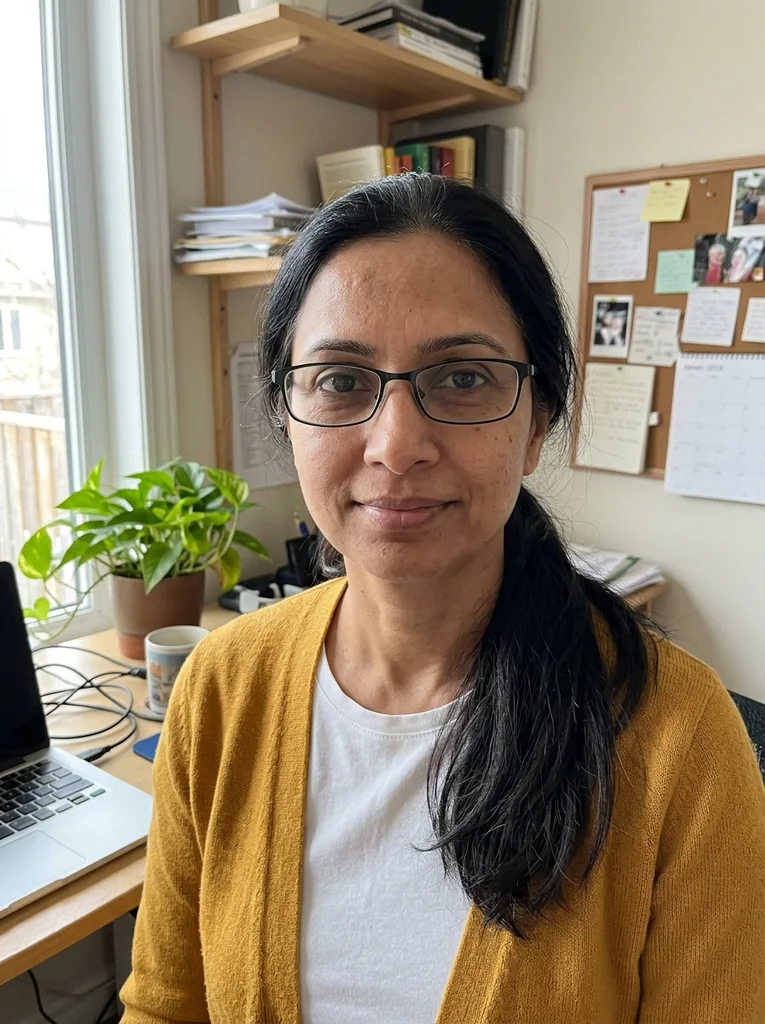 Before
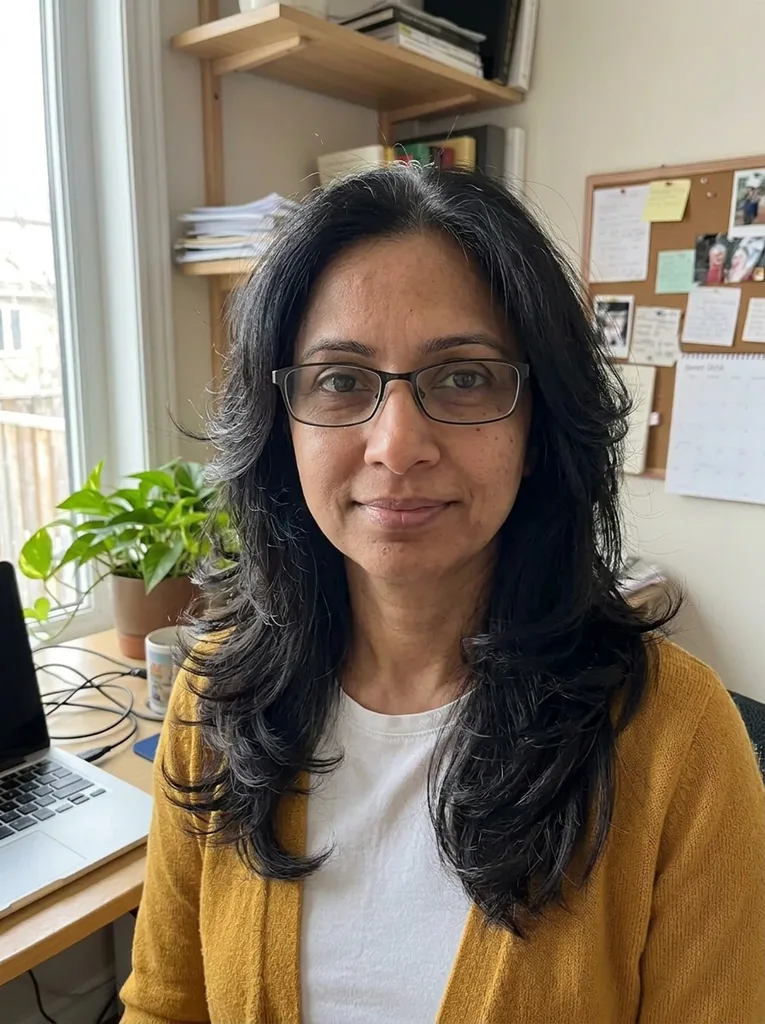 After
Example result. Upload your photo to make yours.
Examples
BeforeAfter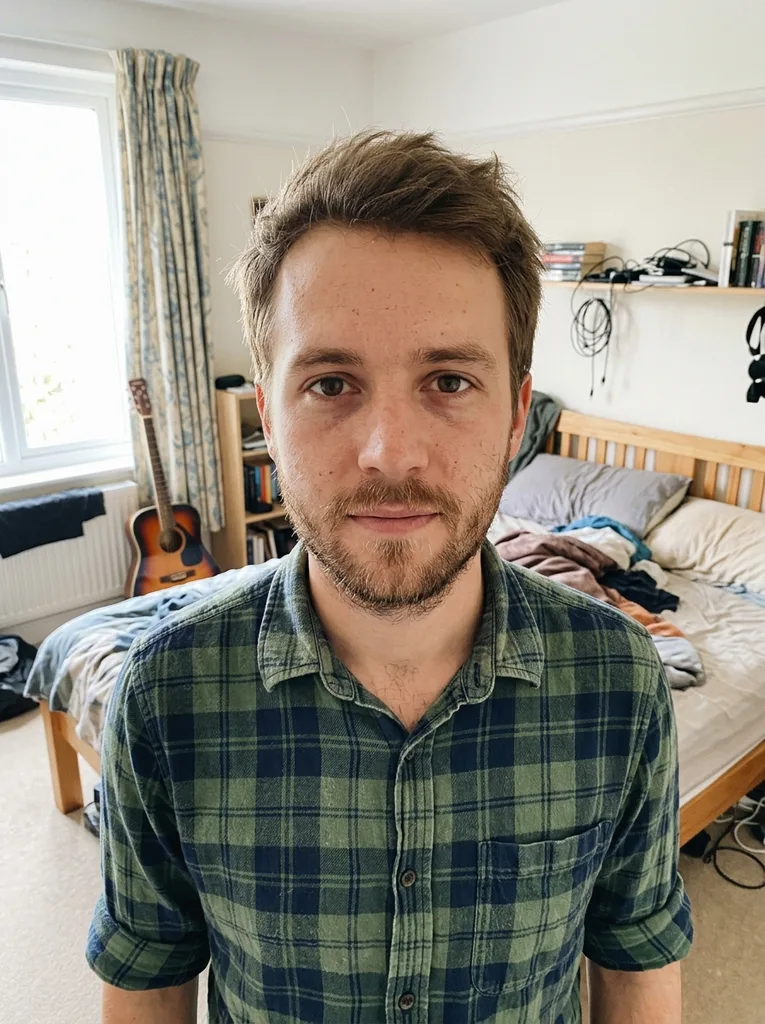 Before
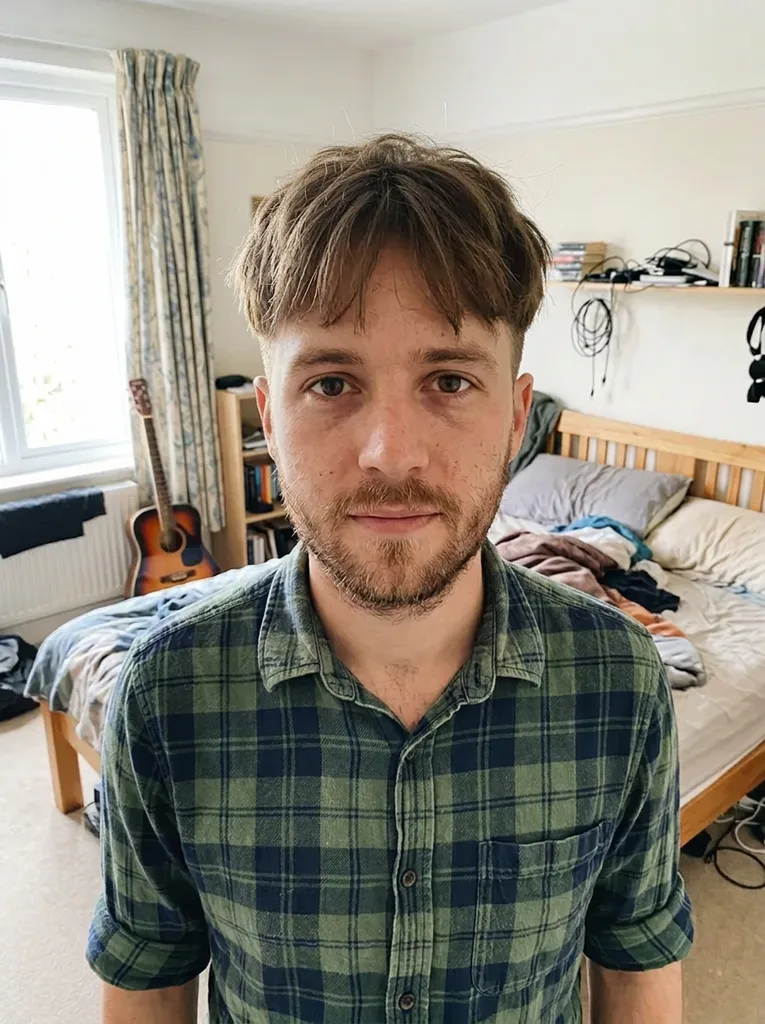 After
How to try a Gemini AI hairstyle here
Four steps, no prompt writing required.
- 1
Upload one selfie
JPEG, PNG, WebP or HEIC up to 10 MB, one person, whole head in the frame. HEIC photos are converted in your browser.
- 2
Pick a cut and a color
Choose one of ten trending cuts, from Butterfly Cut to Slick Back. Then keep your own color or pick one of seven shades.
- 3
Add your own prompt if you like
The optional box takes up to 500 characters, such as "side part, tucked behind one ear". It is added to the cut you picked.
- 4
Generate and save it
Your Gemini AI hairstyle usually takes under a minute. Download the 3:4 portrait right away, because the result is only kept for a limited time.
Why use preset Gemini AI hair prompts
Each button adds a hairstyle or color instruction to one shared editing prompt. Here is what that prompt asks for.
The face rules are already written
Every preset asks for the same face shape, eyes, skin tone, freckles, moles, age and expression. Glasses, makeup and clothes stay too.
Old hair is replaced, not blended
The model is told to replace the old haircut with the one you picked instead of blending it in. In our Butterfly Cut test, the change was obvious at a glance.
No beauty filter
It is told not to slim the face, smooth the skin or change body shape. The result should look like you on an ordinary day.
Beards and stubble stay put
Only the hair on the head is meant to change. A beard, moustache or stubble is kept as it is unless your note asks otherwise, which matters on cuts like the Textured Crop.
Same photo, same light
The model is told to keep framing, background, white balance and lighting, so the before and after line up. It is an AI edit, so check the result for anything else that moved.
No account to start
Your first image is free with no sign-up and no card. Nothing to install; it runs in the browser.
Gemini AI hairstyles: preset tool vs writing prompts
Three ways people put a Gemini haircut on a selfie, and what each one asks of you.
| This page | Gemini chat + your prompt | Copy-paste prompt lists | |
|---|---|---|---|
| Who writes the prompt | You tap a preset | You, every time | You copy one, then edit it |
| Face and glasses kept | Asked for in every preset | Depends on your prompt | Varies by prompt |
| Your own wording | Optional box, 500 characters | Anything you type | The whole prompt |
| Sign-in | None for your first image | Google account | Depends on where you use it |
| Output | One 3:4 portrait, 1K | Varies by chat | Depends on where you paste it |
| Grid of many cuts | No, one cut per image | You can ask for one | Grid prompts are common |
| Face-shape advice | No, you judge the result | Yes, it can talk it through | Some add an analysis prompt |
What is a Gemini hairstyle?
It isn't a named cut. A Gemini hairstyle is a haircut preview made with Google's Gemini image model, nicknamed Nano Banana: you upload a selfie, describe a cut, and the model redraws the hair.
This page runs on that model family (Nano Banana 2, at 1K resolution) through our own form. We are an independent site, not affiliated with Google, and this is not the Gemini app. What we add is the prompt around your choice: the instructions that ask the model to keep your face, glasses and background as they were.
What our tests showed about Gemini AI hair edits
Before launch we ran the presets on our library of AI-generated selfies. Priya, a woman in her 40s with glasses and a ponytail, got the Butterfly Cut. The change was obvious and her glasses stayed. Lukas, in his late 20s, got the Two-Block Cut. His first try timed out and the rerun worked. Both are in the examples above.
Across 24 before-and-after pairs on this site, the face stayed the same person, and clothes and background did not move. Two limits showed up. The view is front-on, so the length at the back of a mullet is hard to judge. And a cut close to the one you already have changes very little.
Gemini AI hairstyle prompt tips for the text box
Your words are added after the preset you picked. Short, concrete phrases work best.
- Pick the closest preset first, then type only what it doesn't cover, such as "side part, tucked behind one ear" on the Italian Bob.
- Name the length against your body: "chin length", "just past the shoulders" or "collarbone length" beats "medium".
- Describe texture in a word or two, like "piecey and matte", "sleek and glossy" or "loose S-waves".
- Say where the hair falls on the face, for example "fringe skimming the eyebrows" or "pieces framing the cheekbones".
- For a shade between the buttons, pick the nearest one and refine it in words, like Brown plus "cool ash tone, no red".
- Leave out face instructions, since keeping your face, glasses and background is already part of every Gemini AI hairstyle request here.
- Use up to 500 characters and plain words; your note is added to the cut and color you picked.
Mistakes that spoil a Gemini AI hair edit
Mistake: Typing a different cut than the preset, like "buzz cut" with Long Waves selected
Do this instead: Pick the preset that matches. Two cut instructions fight, and the result is hard to predict.
Mistake: Pasting a 3x3 grid prompt from a prompt list
Do this instead: Paste only the hair details. This tool makes one image of one cut, so the face stays large enough to judge.
Mistake: Uploading a photo with a cap or hood on
Do this instead: Take it off. The model can't see your hairline and has to guess where the hair starts.
Mistake: Choosing a cut close to your current one
Do this instead: Go for the change you are really weighing. A bob added to a bob looks almost the same.
Mistake: Shooting with a bright window behind you
Do this instead: Face the light so your face and hair are lit evenly.
Mistake: Leaving the download for later
Do this instead: Save the image as soon as it appears. The AI provider keeps it only for a limited time.
What's free and what happens to your photo
One free image, no account
Each visitor gets one free image for life across the whole site, with no sign-up and no card. Once it is used the tool stops, so choose the Gemini AI hairstyle you most want to see.
Your photo
Your photo is only used to create your images and is never used to train AI models. Anything you type in the prompt box is added to your request to the model, so leave out personal details.
Not affiliated with Google
We use Google's Gemini image model through an AI provider. This site is independent and is not the Gemini app or a Google product.
A preview, not a promise
It is an AI image to help you decide. A stylist may not cut exactly this shape, and dye may not land on the same shade.