
Change Hair Color Online Free
Change hair color online free: your first image needs no sign-up. The model is told to change only the color and keep your cut, brows and face.
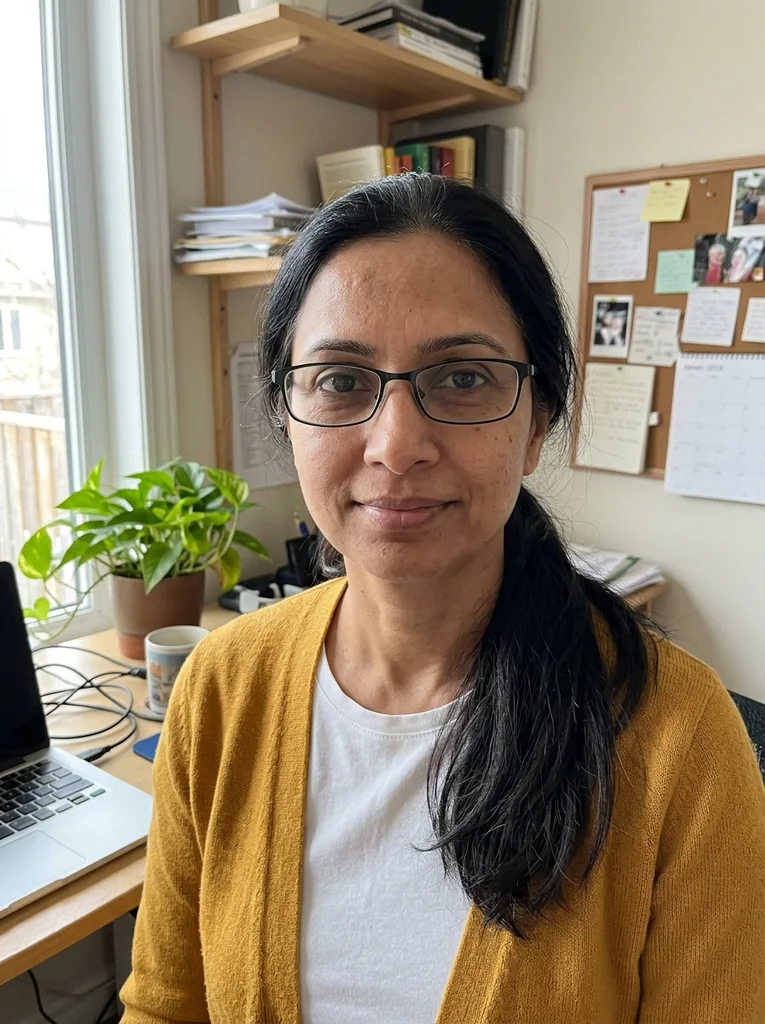 Before
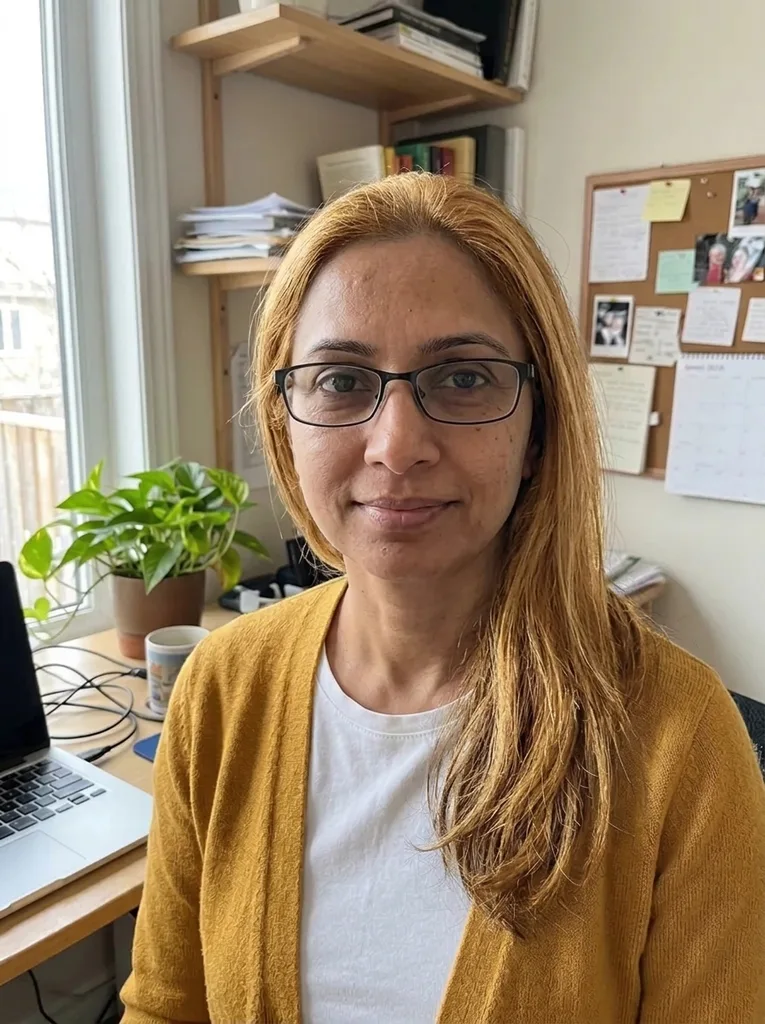 After
Example result. Upload your photo to make yours.
Examples
BeforeAfter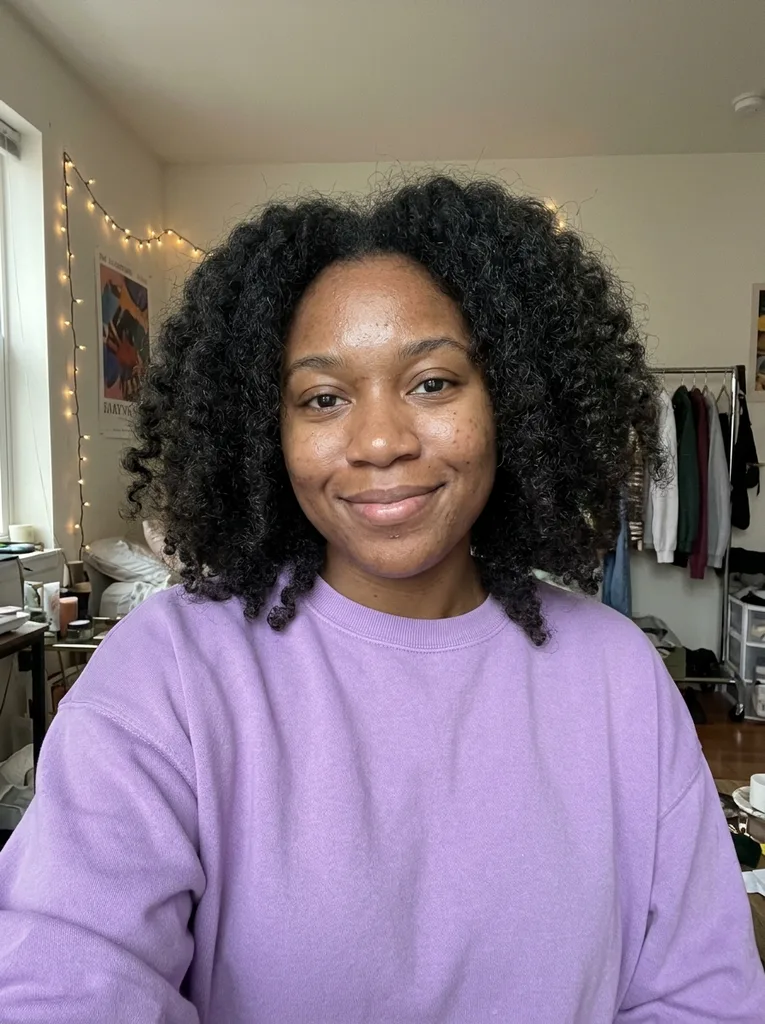 Before
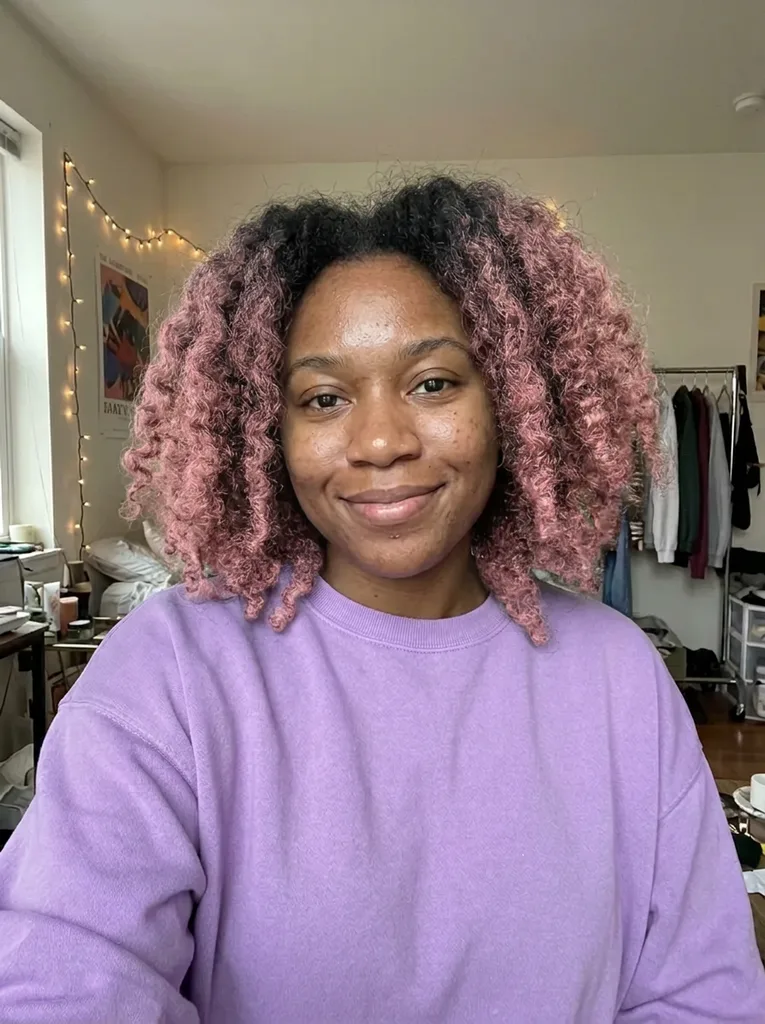 After
How to change hair color in a photo
Three steps to change hair color online free with your first image, and no app to install.
- 1
Upload one selfie
JPEG, PNG, WebP or HEIC up to 10 MB, one person, whole head in the frame. HEIC is converted to JPEG in your browser before upload.
- 2
Pick a shade and a coloring style
Choose from 12 shades, from Golden Blonde and Jet Black to Copper Red, Silver Grey and Pastel Blue. Then pick All Over, Balayage, Ombre or Highlights.
- 3
Generate and save
The result usually takes under a minute and shows next to your original. Download the 3:4 portrait right away, because it is only kept for a limited time.
A hair color changer that leaves your cut alone
Every preset is built to recolor, not restyle.
Same cut, length and parting
The prompt asks the model to keep the haircut, length, texture, volume and parting. In our test, Priya's dark hair turned Golden Blonde with the same cut and parting.
Brows keep their own color
Eyebrows, lashes and beard are told to keep their own color. You see the real contrast between your brows and the new shade, which matters most with light colors like Platinum Blonde.
Curls and texture survive
Color has to follow each strand to the hairline without tinting skin or ears. Zoe's full curls kept their shape when they went Pastel Pink.
Your face is not retouched
No skin smoothing, no face slimming, no makeup change. Clothing, background and lighting are meant to stay too, so the new thing you judge is the color. It is an AI edit, so compare it with your original.
Hair color generator vs dye-brand try-ons
The two kinds of tool you will find when you search, side by side with this page.
| This page | Dye-brand virtual try-on | All-purpose AI photo editor | |
|---|---|---|---|
| Shades offered | 12 presets plus your own words | Only that brand's box shades | Anything you type |
| Fashion colors | Pastel Pink, Pastel Blue, Silver Grey | Limited to the product range | Yes, if you write the prompt |
| Balayage, ombre, highlights | Four styles as buttons | Mostly all-over shades | Only if you describe it |
| Haircut kept | Asked for in every preset | Yes, it is an overlay | Depends on the tool and your prompt |
| Result | One generated 3:4 photo | Live camera or selfie overlay | Varies by tool |
| What it is for | Seeing a color before you book | Picking a box to buy | General photo editing |
Which coloring style fits your plan
The style you pick decides what happens at the roots, which is what decides upkeep.
All Over: a full change
One color from roots to ends. Pick it to see your whole head in Jet Black, Chocolate Brown or Auburn. Regrowth will show as it grows out.
Balayage: grow-out friendly
Your natural color stays at the roots and the new shade is swept through the lengths. Good for testing Honey Brown or Rose Gold without a hard root line.
Ombre: a clear two-tone
Natural roots blend into the new color on the bottom half. Try it with Copper Red or Platinum Blonde on longer hair.
Highlights: brighter, not different
Fine strands of the new shade woven through your own color. A softer way to see Golden Blonde if a full change feels like too much.
What an AI hair color preview can't tell you
The image shows the end result, not the road there. Going from dark brown to Platinum Blonde, Silver Grey or a pastel usually means lightening first. A colorist can tell you how many sessions that takes.
It also can't promise the exact shade. Dye lands differently on every head, so treat the preview as the color you are asking for and bring it to your appointment.
What it answers well is the question behind every search to change hair color online free: does this color suit my face, my skin and my brows?
Photo tips for an accurate color change
- Use daylight or even indoor light; warm bulbs shift every shade toward orange.
- Turn off beauty filters, since they tint the hair before the AI ever sees it.
- Keep your whole head in the frame, including the hairline, and leave hats off.
- Pull hair away from your face if you want the color to read clearly around it.
- Face the camera and avoid strong backlight behind your head.
Mistakes that waste your one image
Mistake: Choosing a shade you already know suits you
Do this instead: Use the image on the color you are most torn about, such as Burgundy or Platinum Blonde.
Mistake: Uploading a selfie taken under yellow kitchen light
Do this instead: Retake it near a window; the color in the result follows the light in the photo.
Mistake: Leaving the style on All Over when you plan a balayage
Do this instead: Match the style to what you will actually book, so the roots in the preview are real.
Mistake: Expecting the result to match a box dye
Do this instead: Use the preview to choose a direction, then compare shade cards or ask a colorist.
Free image, photo privacy and honest limits
One image free, no sign-up
Every visitor can change hair color online free once: one image across the whole site, no sign-up, no card. After that the tool stops, so start with the shade you most want to see.
Your photo stays yours
Your photo is only used to create your images and is never used to train AI models. Text in the optional box is added to your request to the model, so keep personal details out of it.
Not a promise of the dye result
It is an AI-generated image to help you decide. Real dye on your hair may come out lighter, darker or warmer than the picture.