
What would I look like with a mullet
What would I look like with a mullet? Pick one of five mullet cuts for a preview on your own selfie, with your face and hair color kept. One image free, no sign-up.
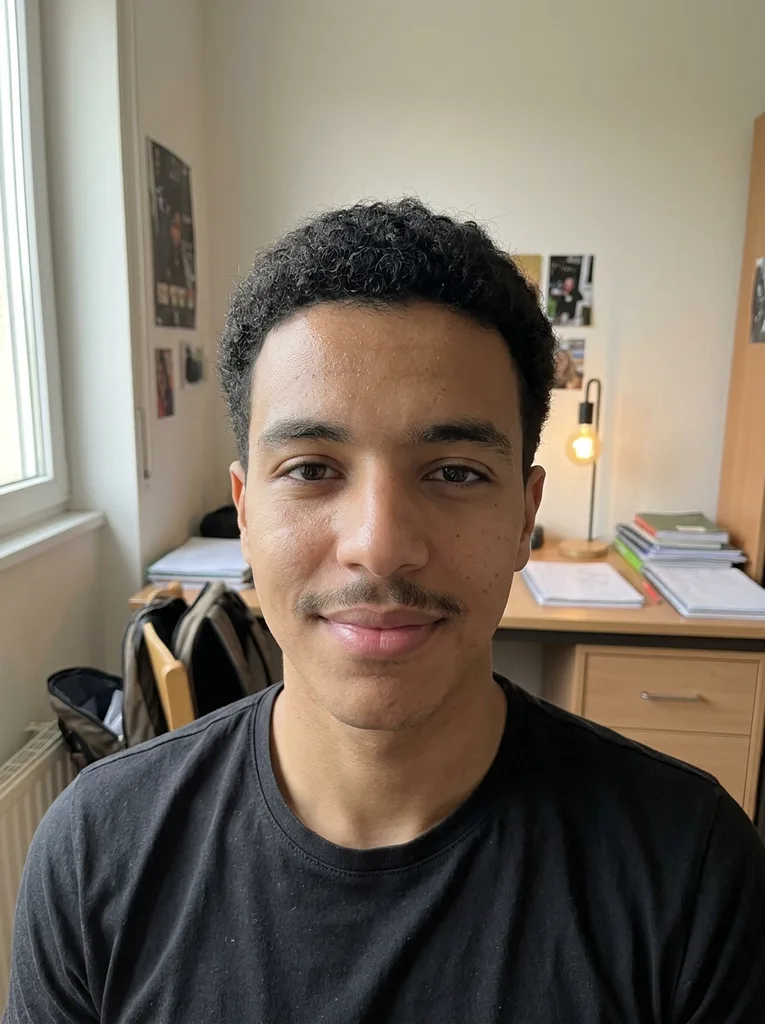 Before
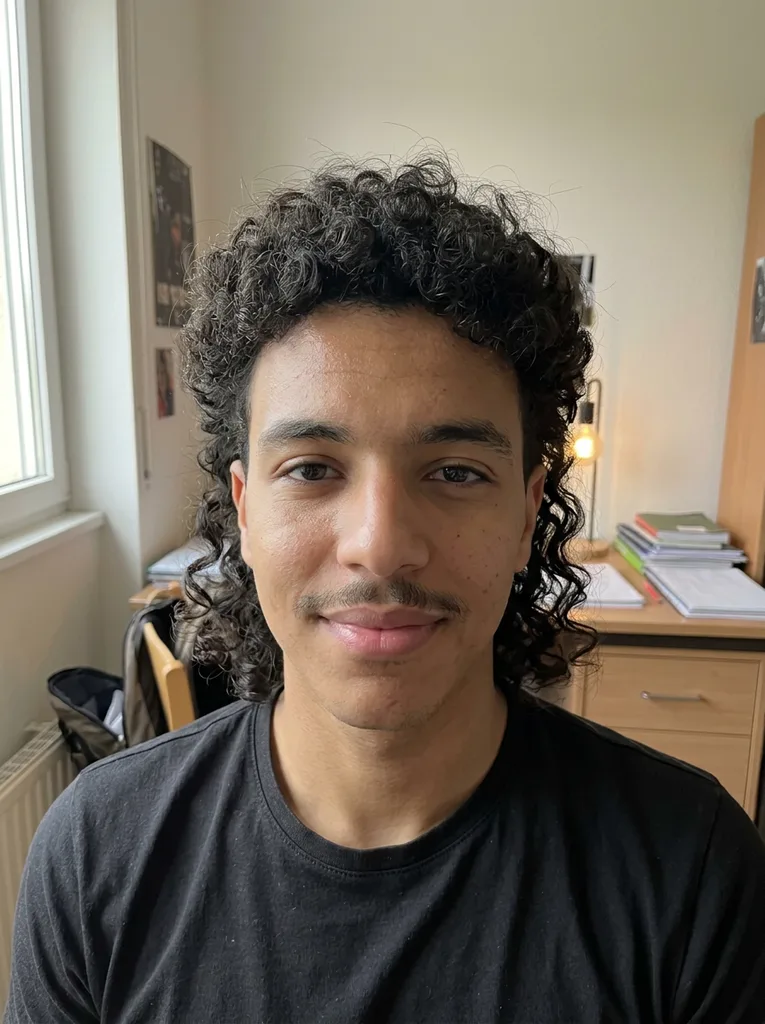 After
Example result. Upload your photo to make yours.
Examples
BeforeAfter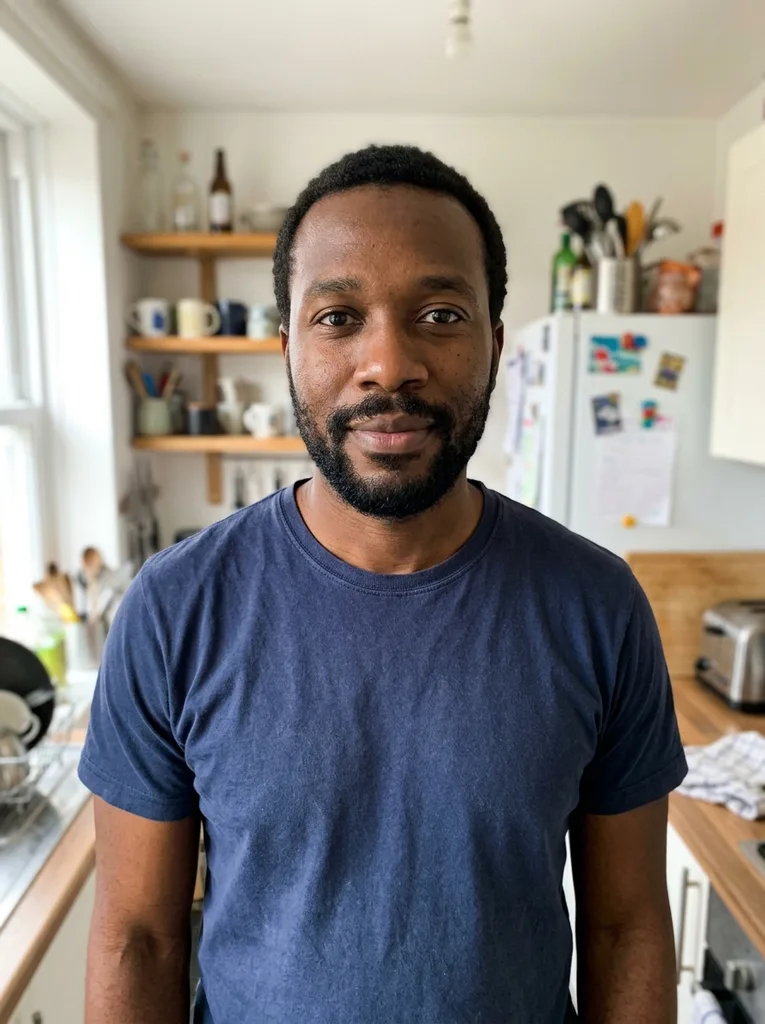 Before
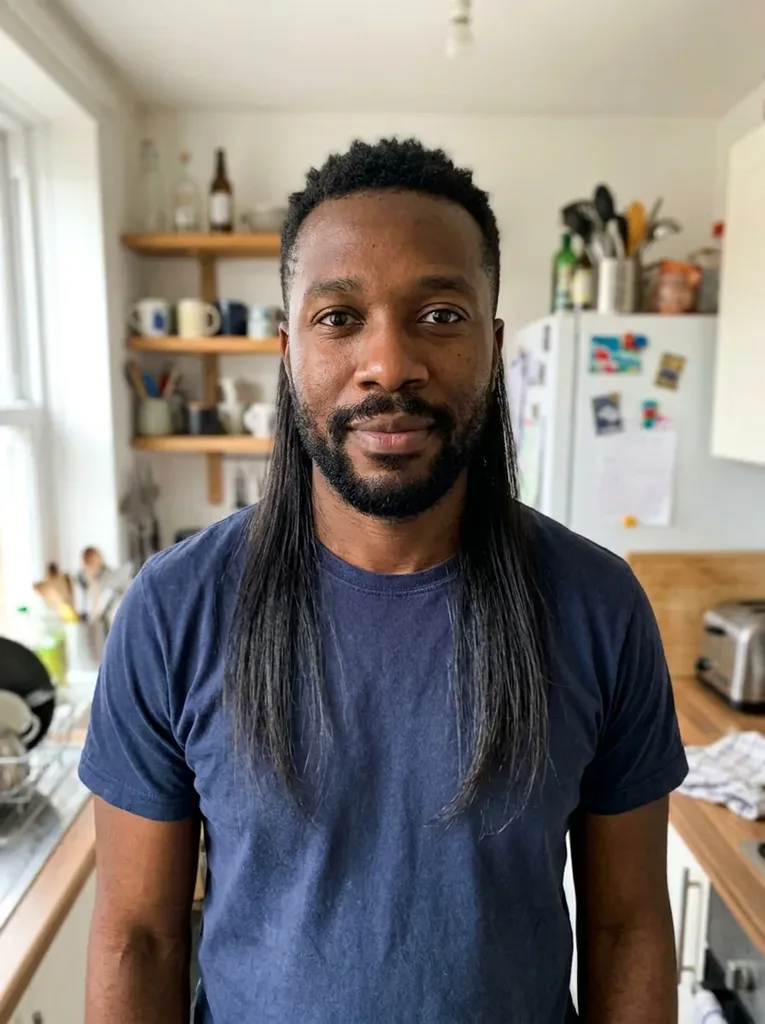 After
How to try a mullet on your photo
- 1
Upload a selfie that shows your whole head
JPEG, PNG, WebP or HEIC up to 10 MB. Face the camera, keep your ears and the top of your head in the frame, and leave your neck uncovered.
- 2
Pick one of five mullet cuts
Modern Mullet, Classic '80s, Mullet Fade, Curly Mullet or Shag Mullet. Add an optional note such as "bleached tips" or "with a moustache".
- 3
Compare and download
The result is a 3:4 portrait shown next to your original, usually in under a minute. Download it right away, because results are only kept for a limited time.
Five mullet styles, cut by cut
Every preset keeps the short-front, long-back idea but changes a different part of the head.
| Top | Sides | Back | From a front selfie | |
|---|---|---|---|---|
| Modern Mullet | Short and textured | Short | Longer at the nape | Subtle; the back may barely show |
| Classic '80s | Short | Short | Long and straight past the collar | Reads like shoulder-length hair |
| Mullet Fade | Textured | Burst fade around the ears | Longer and textured | Not in our tests; the fade sits by the ears |
| Curly Mullet | Curly volume | Shorter | Longer curls at the neck | Clear, even on short hair |
| Shag Mullet | Layered with a wispy fringe | Shaggy layers | Layered length | Not in our tests; the fringe faces the camera |
When a mullet preview helps
Before you book the barber
A mullet is hard to undo once the sides are short. See the shape on your face first, then bring the image to the chair.
Growing out short hair
A mullet takes months of growth at the back. Check that the destination is worth the awkward stage before you start.
A retro party look
Classic '80s gives you the full business-in-front, party-in-back cut for an '80s night or a costume idea, no wig needed.
A laugh in the group chat
Put a mullet on a serious selfie and send it. It's your own face in the photo, so only upload pictures of yourself.
Why the back of a mullet is the hard part
A mullet lives at the back of the neck, and a selfie looks at the front. The tool edits your photo from the same angle you took it, so it can't turn your head to show the nape.
In our own test runs this decided how readable each cut was. Curly Mullet on a man with short hair was obvious at a glance. Classic '80s worked too, but from the front the long back looked like shoulder-length hair. Modern Mullet on another face barely showed its back length, so we left it out of the examples.
If your question is what would I look like with a mullet from the front, pick Classic '80s or Curly, the two that read clearly in our tests. Pick Modern or Fade when the top and sides are what you are unsure about.
Photo tips for a mullet preview
- Show your whole head, from the crown down to your chin and neck, not cropped at the forehead.
- Keep both ears visible; the sides are half of every mullet.
- Wear an open collar or a T-shirt, not a hood or scarf, so there is room for the length at the back.
- Push long hair behind your shoulders or tie it back so the new shape replaces it cleanly.
- Face the camera in even light and skip filters; a plain phone selfie is enough.
- Take off hats and headphones before you shoot.
Common mullet preview mistakes
Mistake: Using Modern Mullet to judge the back length
Do this instead: Its length sits low at the nape. Choose Classic '80s if the back is the part you want to see.
Mistake: Spending your free image on a style you only half want
Do this instead: Read the table above and pick the one cut you would actually ask for.
Mistake: A hoodie or high collar in the photo
Do this instead: Change into an open neckline so the longer hair has somewhere to fall.
Mistake: Telling the barber you just want "a mullet"
Do this instead: Show the image and say how short the sides should be and how far down the back should go.
What you get and what stays the same
One free image, no account
Your first mullet preview is free, with no sign-up and no credit card. Choose your preset before you generate, since the free allowance is one image across the whole site.
Your face stays, the rest is your call
Only the hair on your head is meant to change. The model is told to keep your face, glasses, clothes and background, and your hair color, beard and moustache unless your note asks for a change. No skin smoothing or face slimming.
Your photo
Your photo is only used to create your images and is never used to train AI models. Any note you type is added to your request to the AI model. You must be 18 or older and upload only photos of yourself.
A preview, not a promise
The result is an AI image, not a cutting guide. Your hair's thickness and growth pattern decide what a barber can really do.