
What would I look like with dreads
What would I look like with dreads? Upload a selfie, pick one of six loc styles and see yourself with locs, usually in under a minute. Your first image is free.
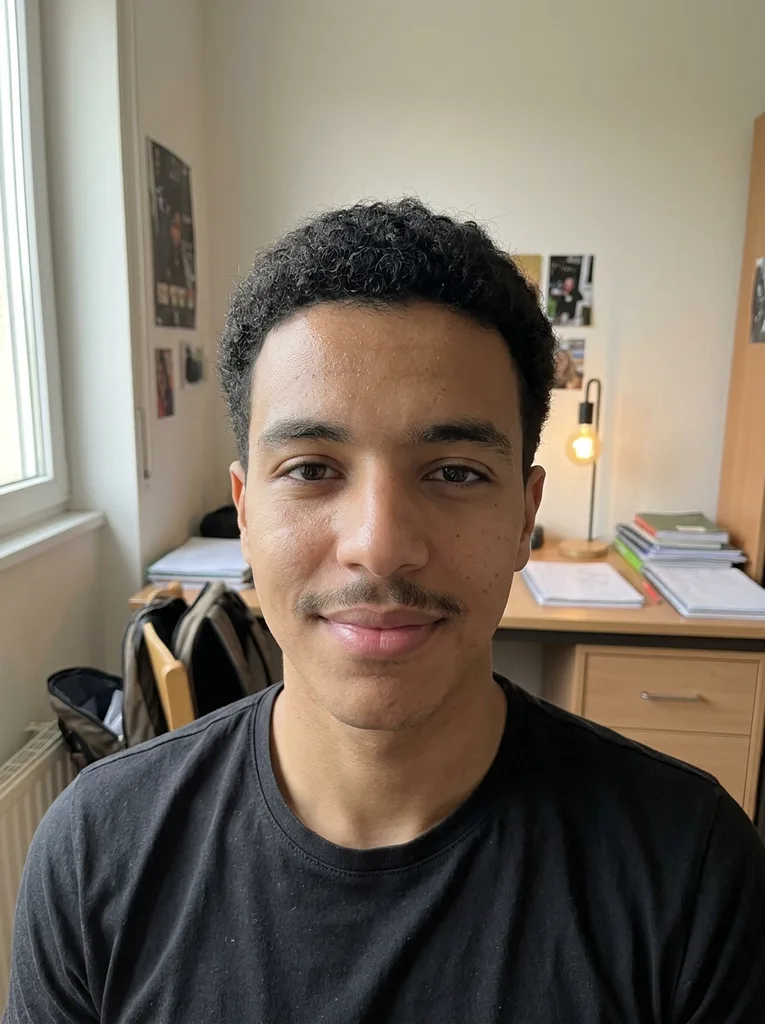 Before
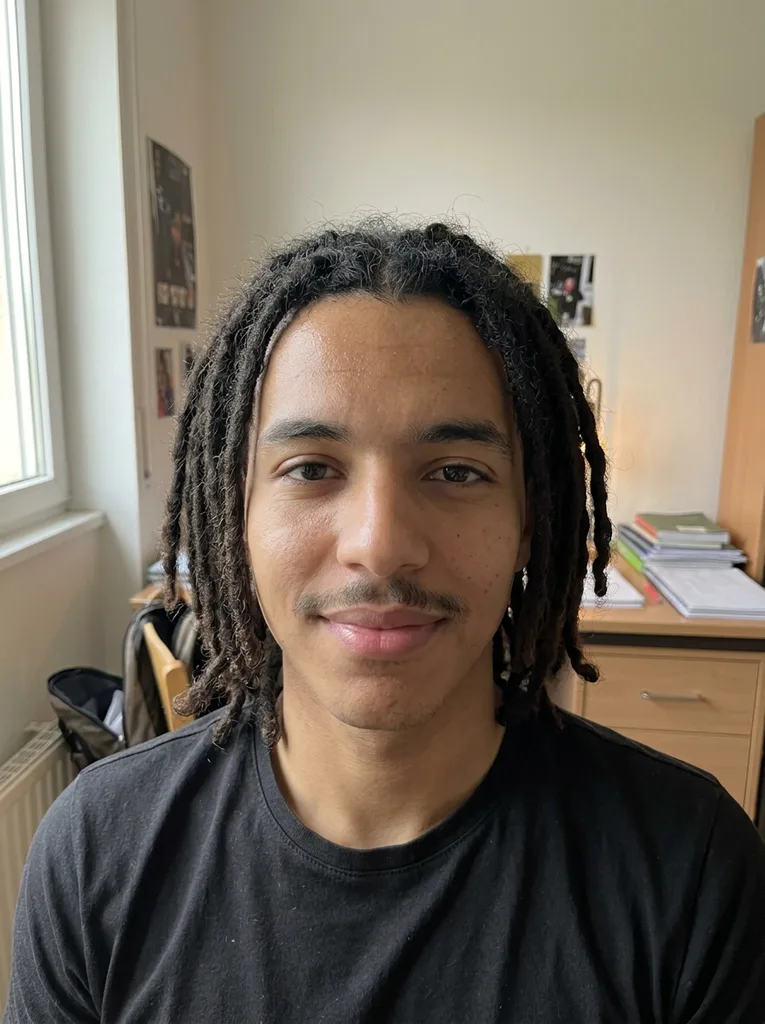 After
Example result. Upload your photo to make yours.
Examples
BeforeAfter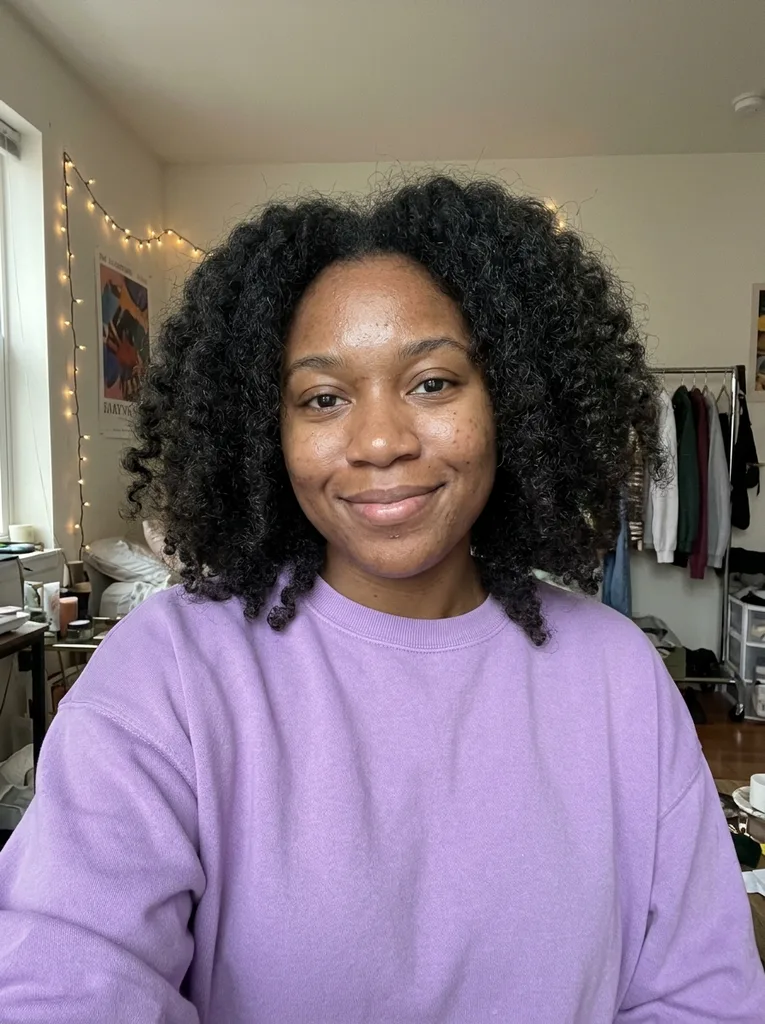 Before
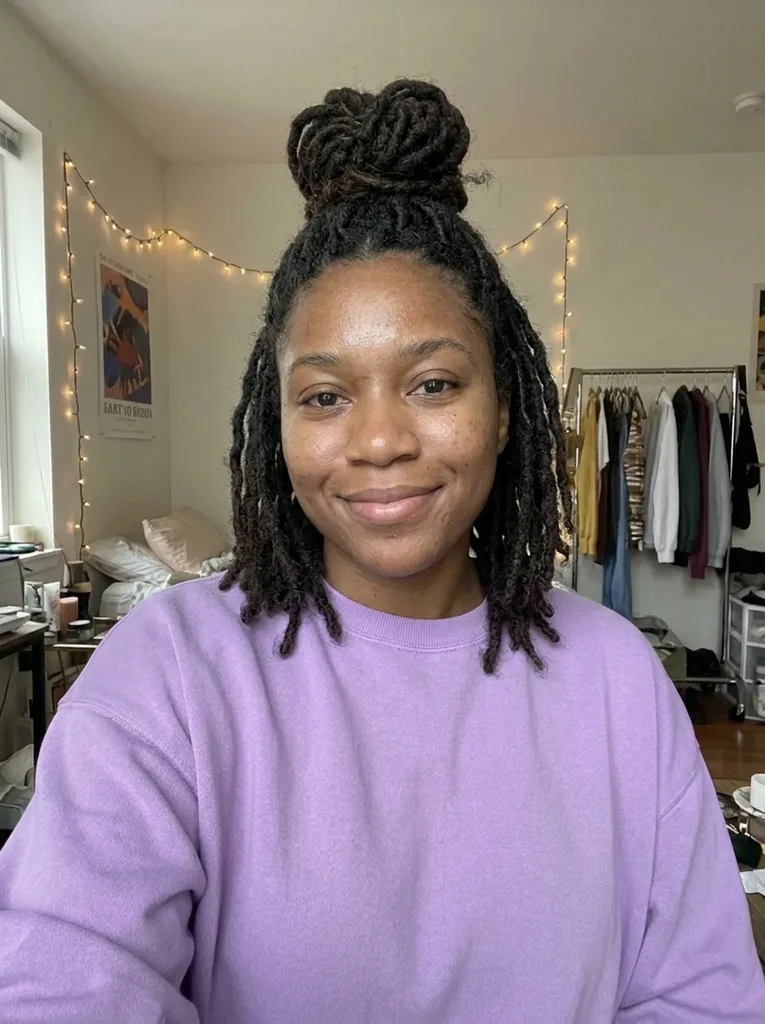 After
How to see yourself with locs
- 1
Upload one clear selfie
JPEG, PNG, WebP or HEIC up to 10 MB, one person only. Your whole head should be in the frame, with your shoulders showing.
- 2
Choose the locs you are considering
Medium Locs, Short Dreads, Long Locs, Micro Locs, Locs Updo or High-Top Twists. An optional note can add details such as "blonde tips" or "with gold cuffs".
- 3
Compare, then save it
Your 3:4 portrait appears beside the original photo. Download it straight away; the AI provider keeps results only for a limited time.
Ways to answer "what will I look like with dreads"
There are four ways to answer what would I look like with dreads, and they differ in how real the answer is.
| This tool | Phone face filter | Loc wig or faux locs | Loctician consultation | |
|---|---|---|---|---|
| What you see | A still photo of you with locs | A live overlay on camera | Real hair on your head | Advice on your own hair |
| Your face and light | Kept from your photo | Varies by filter | Real | Real |
| Style choice | Six presets plus a note | Whatever the filter offers | One look per wig or install | Anything your hair can do |
| Tells you how long locking takes | No | No | No | Yes |
| Commitment | None | None | Buying or installing it | A booked appointment |
Which loc style to preview
You get one free image, so match the preset to the decision in front of you.
Thinking about starting locs
Short Dreads shows starter locs a few centimetres long all over the head, closer to how a new set first looks.
Picturing the grown-out look
Medium Locs sit at the shoulders. Long Locs fall well past them, the look years down the line.
Wanting many fine locs
Micro Locs gives you a full head of thin locs hanging to the shoulders, lighter and more detailed than Medium.
Checking a neat look for work
Locs Updo gathers shoulder-length locs into a high bun on top of the head, so you can see your face fully open.
Keeping the sides short
High-Top Twists keeps short twisted locs on top and tapers the sides and back into a fade, a good test if you wear a fade now.
Locs, the word, and what a preview can tell you
Locs are hair matted into rope-like sections, and for many people who wear them they carry real cultural meaning. Many prefer the word locs to dreads; this page uses both because both are searched.
In our test runs, a man with short curly hair came back with shoulder-length Medium Locs that looked natural on him, and a woman with curly hair got her locs swept into a high bun with Locs Updo. Both kept their own faces, clothes and backgrounds.
What the image cannot show is the journey. It draws formed locs, not the time your hair needs to lock or the weeks in between. A loctician who sees your hair can tell you that.
Photo tips for a locs preview
- Frame your whole head and your shoulders; Medium and Long Locs need room to fall.
- Take off hats, durags and headwraps so the tool can see your hairline.
- Face the camera in soft, even light, with no bright window behind you.
- Use a plain phone photo with no beauty filter or face effects.
- Upload a photo of yourself only; you must be 18 or older.
Mistakes to avoid with a dreads preview
Mistake: Previewing box braids and calling them locs
Do this instead: Braids are plaited, locs are matted. Pick a locs preset so you judge the real texture.
Mistake: Reading the image as a timeline
Do this instead: It shows finished locs. Ask a loctician how long your hair will take to get there.
Mistake: Choosing Long Locs to check your face shape
Do this instead: Length past the shoulders hides the outline. Locs Updo or Short Dreads shows your face shape best.
Mistake: Using your one free image on a passing idea
Do this instead: Decide between the six presets above first, then generate the one you would really wear.
What is free, what changes, and your photo
One image, no account needed
Your first locs preview costs nothing, with no sign-up and no card. There is no paid plan for more, so the allowance is one image across the whole site.
Only your hair is replaced
The model is told to keep your face, skin tone, beard, glasses and clothes, and your hair color unless your note asks for a change. It doesn't smooth skin or slim your face.
How your photo is handled
Your photo is only used to create your images and is never used to train AI models. Anything you type in the note is added to your request to the AI model.
An AI preview, not a guarantee
Real locs depend on your hair's texture, density and the method your loctician uses, so treat the image as a reference.