
Pixie Cut Filter
This pixie cut filter cuts your hair into one of six pixies on your own photo and keeps your face and hair color. Your first image is free, no sign-up.
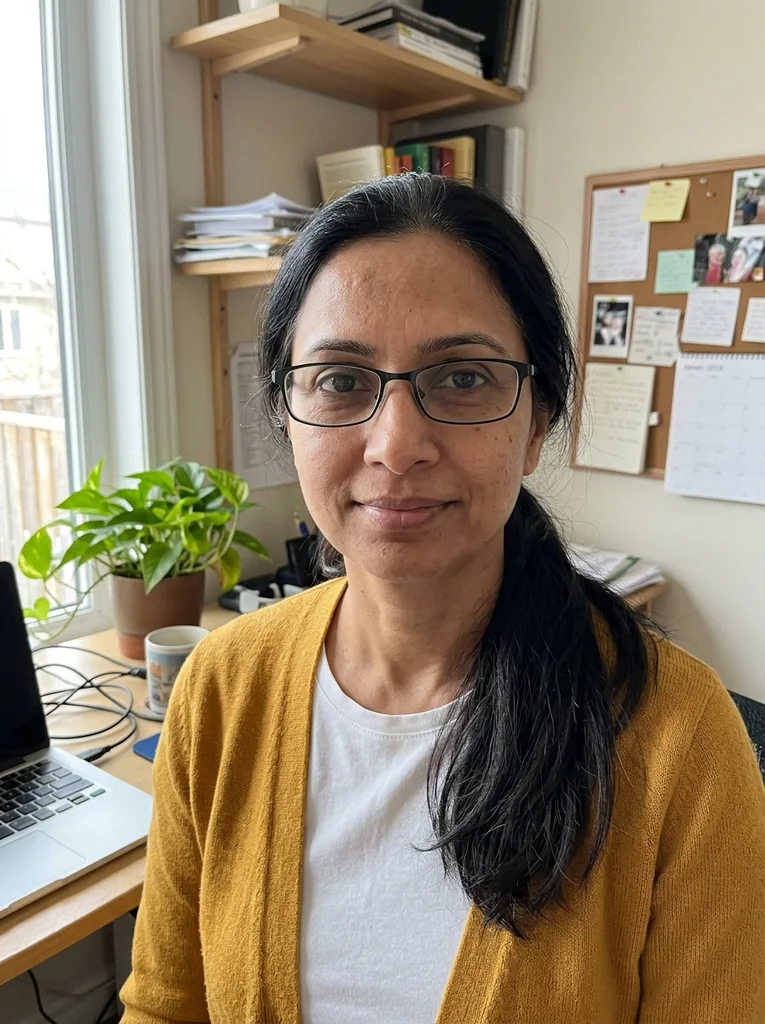 Before
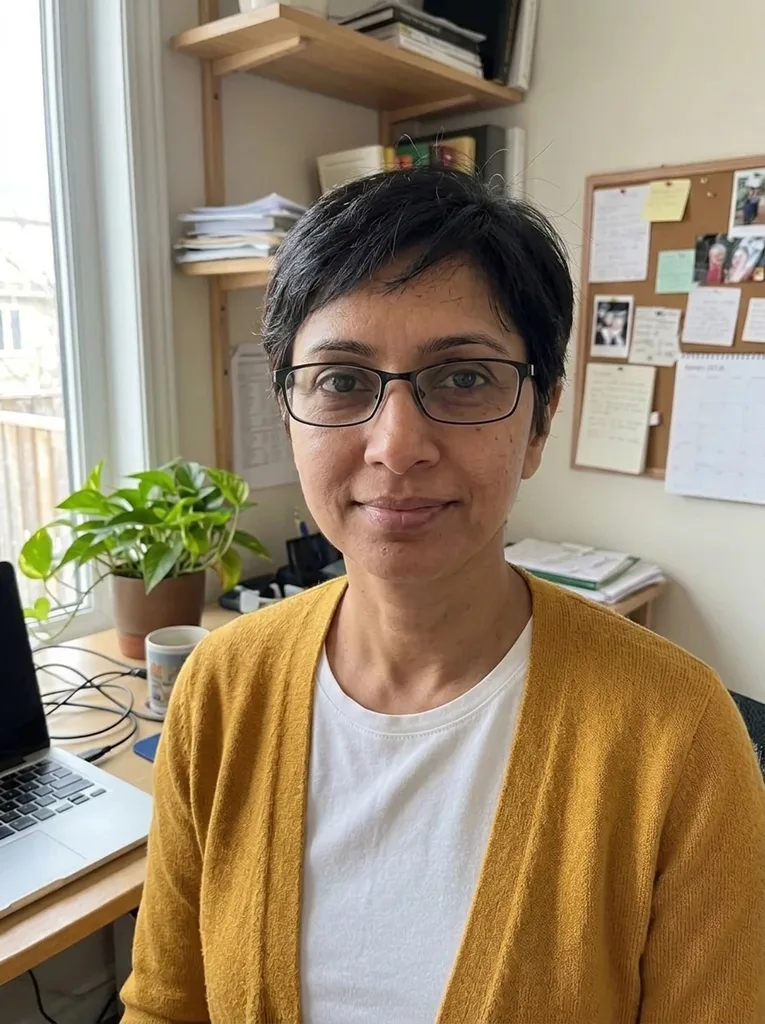 After
Example result. Upload your photo to make yours.
Examples
BeforeAfter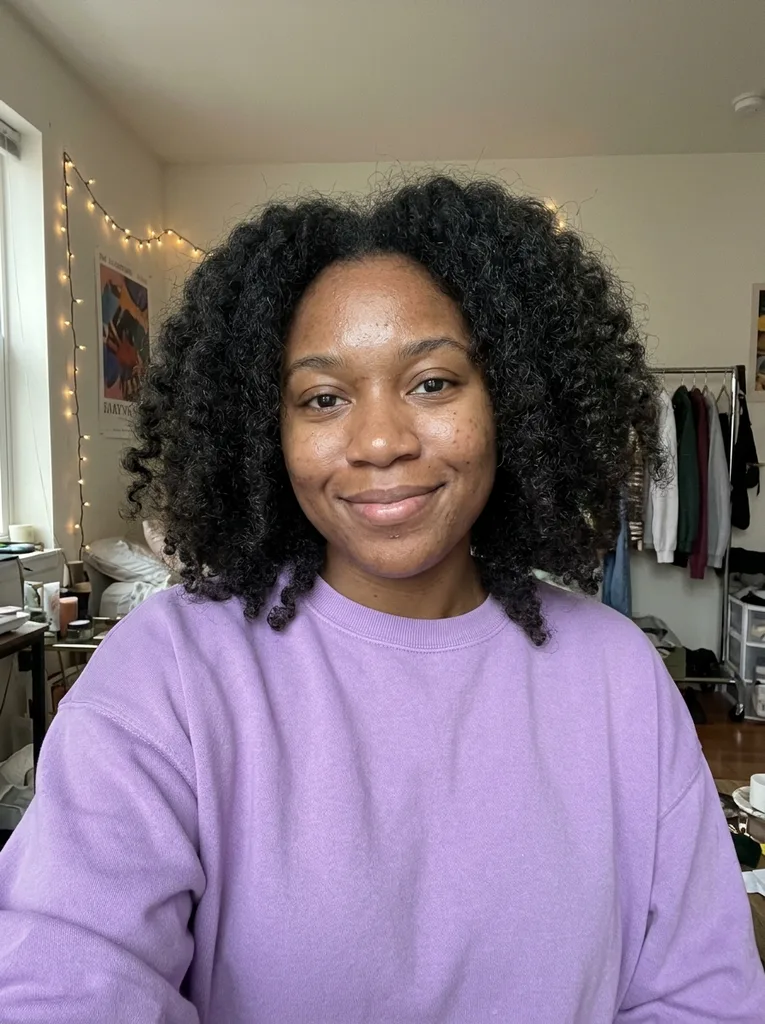 Before
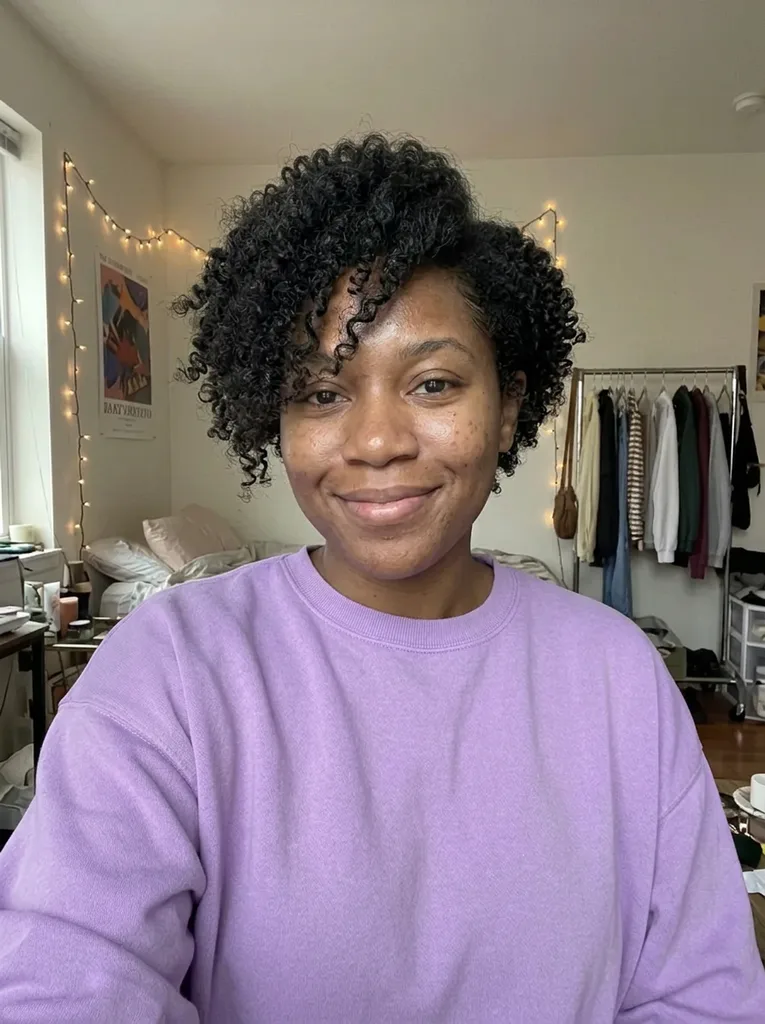 After
How to use the pixie cut filter
- 1
Upload one clear selfie
Use a photo of just you, with your whole head in the frame and even light. JPEG, PNG, WebP or HEIC up to 10 MB works.
- 2
Pick one of the six pixies
Choose Classic, Long, Shaggy, Side Bangs, Undercut or Bixie. If you want a detail such as a color, type it in the optional box.
- 3
Generate and download
Your result is usually ready in under a minute, shown as a 3:4 portrait beside your original. Download it, because results are only kept for a limited time.
What this pixie haircut try-on keeps the same
The pixie cut filter replaces the haircut and leaves the rest of the photo alone.
Your face, glasses and clothes
The model is told to keep face shape, skin, expression, glasses, makeup and background, with no smoothing or slimming. Our Classic Pixie example shows a clear change of cut on the same person.
Your own hair color
The cut changes and the color doesn't, so you judge the shape on its own. To see a color as well, write it in the box, for example "platinum pixie".
Your curl pattern
In our Long Pixie test on curly hair, the shorter cut kept her curls. To ask for curls directly, add "curly pixie" in the optional box.
No app, no account
It runs in the browser on your phone or computer. HEIC photos from an iPhone are converted to JPEG before upload.
Six pixie cuts compared: where the length sits
Every pixie is short, but each keeps its length in a different place, and that decides how it frames your face.
| On top | Sides and back | Fringe | Preview it first if | |
|---|---|---|---|---|
| Classic Pixie | Soft, slightly longer texture | Cropped close | Short, part of the top | You want to see the full short-hair change |
| Long Pixie | Longer and side-swept | Short | Sweeps down to the cheekbone | You want to keep some length near your face |
| Shaggy Pixie | Choppy, piecey layers | Textured rather than sleek | Broken, uneven pieces | You like a messy, lived-in look |
| Pixie with Side Bangs | Short | Short | Long, swept across the forehead | You would rather keep your forehead covered |
| Undercut Pixie | Longer, textured length | One side shaved | Falls from the longer top | You want the boldest edge of the six |
| Bixie | Soft layers | Ear-length | Soft, blended into the layers | A full pixie feels too short for now |
How to tell if a pixie cut will suit you
A pixie removes the hair that usually frames your face, so read the preview for what it reveals. Look at your ears, jawline and neck: a classic or undercut pixie puts all three on show.
Next, check your forehead and brows. If a bare forehead feels like too much, the side bangs or long pixie covers part of it. If you wear glasses, see whether the frames still sit well with less hair around them.
Finally, compare the result with a photo of your current cut. If the shorter version still looks like you on a normal day, that is a better signal than any face-shape chart.
Photo tips for a pixie cut preview
Going from long hair to a pixie is a big change, so the pixie cut filter needs to see your whole head.
- Pull long hair back or behind your shoulders so the new cut doesn't have to hide it.
- Keep your whole head in the frame, including the top of your head and both ears.
- Face the camera, because a strong side angle hides the sides of the cut.
- Use even light from the front and avoid a bright window behind you.
- Take off hats, headbands and large clips.
- Upload a plain phone selfie without beauty filters.
What's free and what the preview can't show
One free image
Every visitor gets one free image across the whole site, with no sign-up and no credit card. There is no paid plan for more, so pick the pixie you most want to see.
Your photo
Your photo is only used to create your images and is never used to train AI models. Anything you type in the description box is added to your request to the AI model.
A front view only
You see the cut from the front, so the nape and the back aren't shown. It's an AI preview, and a stylist may not match it exactly.